Transfers and splits
Keep wallet movements out of spending and divide one transaction across exact categories.
Transfers and splits solve different accounting problems.
Transfers
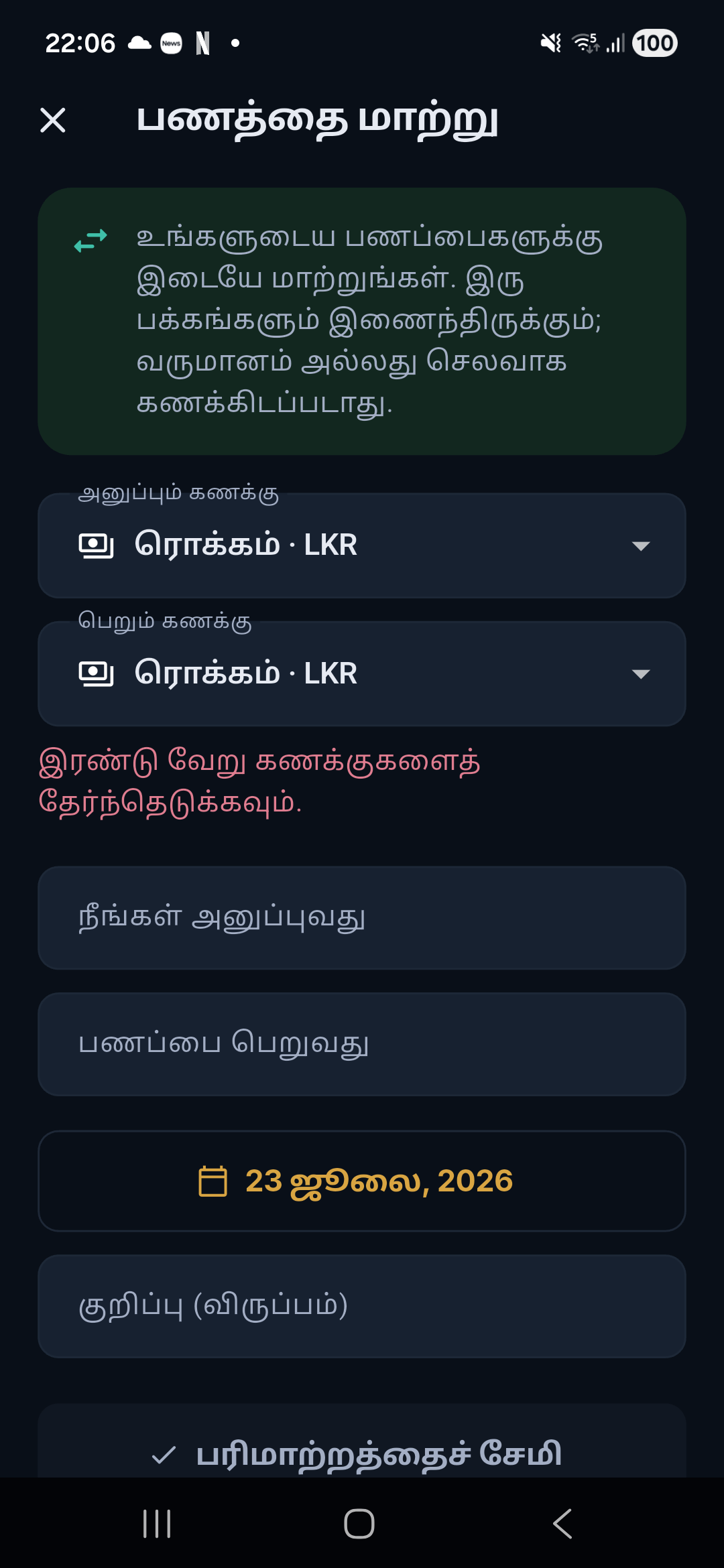
A transfer moves money between wallets you own. Salli stores linked source and destination sides so balances remain explainable, while excluding both sides from income, spending, budgets, and Safe to Spend.
Open the transfer editor
Choose Transfer from an add flow, or open an existing transaction and tap Transfer to correct it.
Choose different wallets
Select the source and destination. Cash can be one side.
Enter sent and received values
For the same currency, the values normally match. For different wallet currencies, record the actual received value and review the displayed conversion rate.
Save
Both sides stay linked and are excluded from financial performance metrics.
Split a transaction
Use Transaction detail → Split when one purchase belongs to multiple categories.
- Add two or more split rows.
- Choose a category for each row.
- Enter exact amounts.
- Make the split total equal the original transaction amount.
- Save.
Budget and category reporting use the split rows. The transaction still appears once in Activity.