Add and edit transactions
Create complete expense or income entries with accounts, categories, notes, labels, recurrence, and attachments.
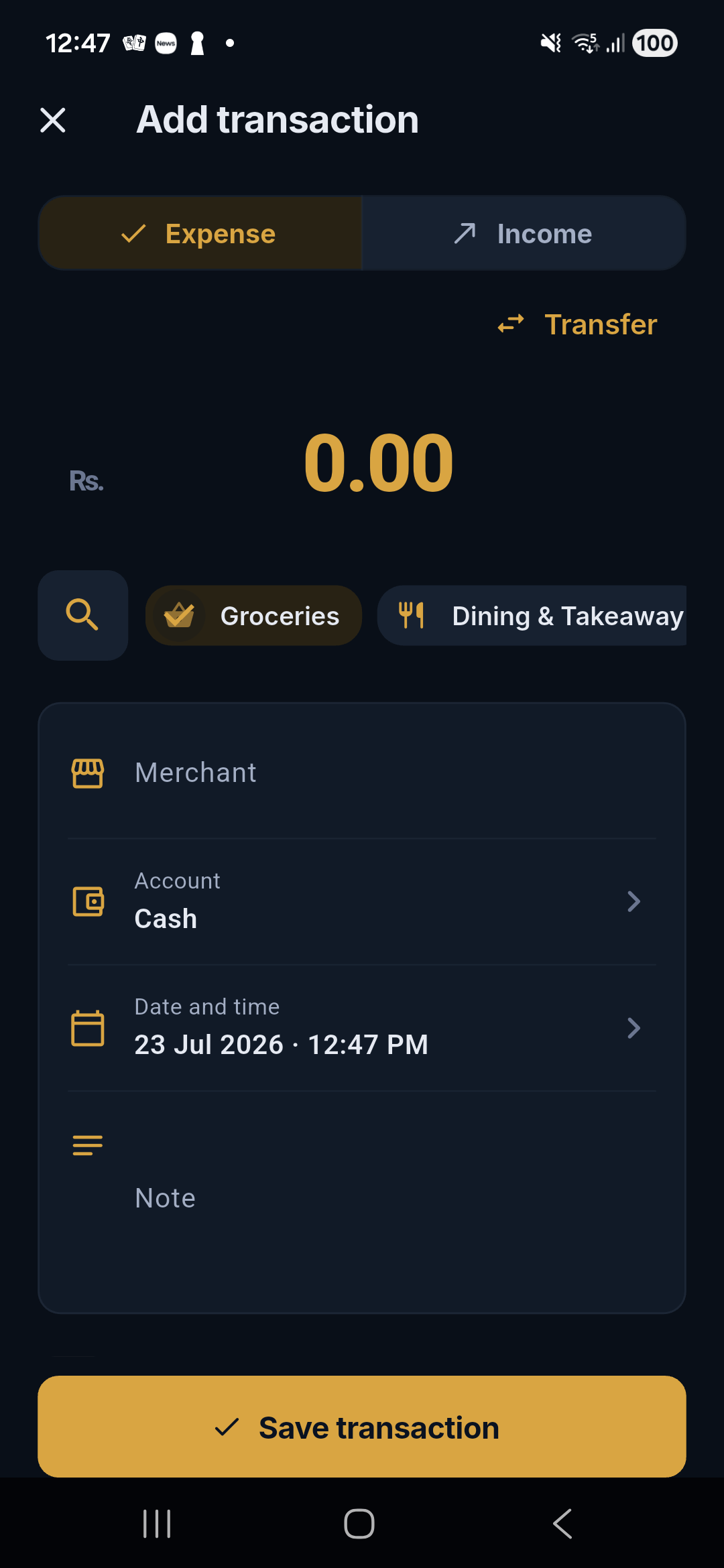
Tap the center + button from any primary tab. The full-screen editor keeps the core amount action fast while making advanced metadata available when you need it.
Required information
- Direction: Expense or Income.
- Amount: stored as integer minor units to avoid floating-point money errors.
- Merchant or payer: a display name used for search and local categorization.
- Account: Cash or an enabled wallet.
- Category: one of Salli's built-ins or a custom expense/income category.
- Date and time: defaults to now and can be changed.
Optional details
- note;
- one or more labels;
- local receipt or other attachment;
- repeat-payment settings;
- future due date for a planned payment; and
- merchant selection from the local catalog.
Merchant autocomplete
As you type, Salli searches confirmed merchant history and the local Sri Lankan corpus. Selecting a suggestion keeps spelling consistent, which improves filters and future categorization.
Categories and learning
When you change a guessed category, Salli may offer Always. Accepting it creates a local merchant rule that overrides future bundled guesses. The built-in safety filters still run before categorization.
Labels
Type a label name and choose an existing suggestion or create a new label.
Labels intentionally cross accounts and categories—for example work,
holiday, or medical claim.
Edit an existing entry
Open Activity → transaction → Edit. The editor uses the same fields and preserves source evidence. Saving updates Home, budgets, goals, recurring detection, and reports immediately.