Labels and merchants
Group activity across categories, normalize merchant names, and control learned local rules.
Categories answer “what kind of money movement is this?” Labels answer “which project, event, person, or purpose does it belong to?”
Labels
Create labels in a transaction editor by typing a new name. Add one or more labels to any entry, then open More → Labels to see totals and activity.
Examples:
work;wedding;reimbursable;school;holiday 2026.
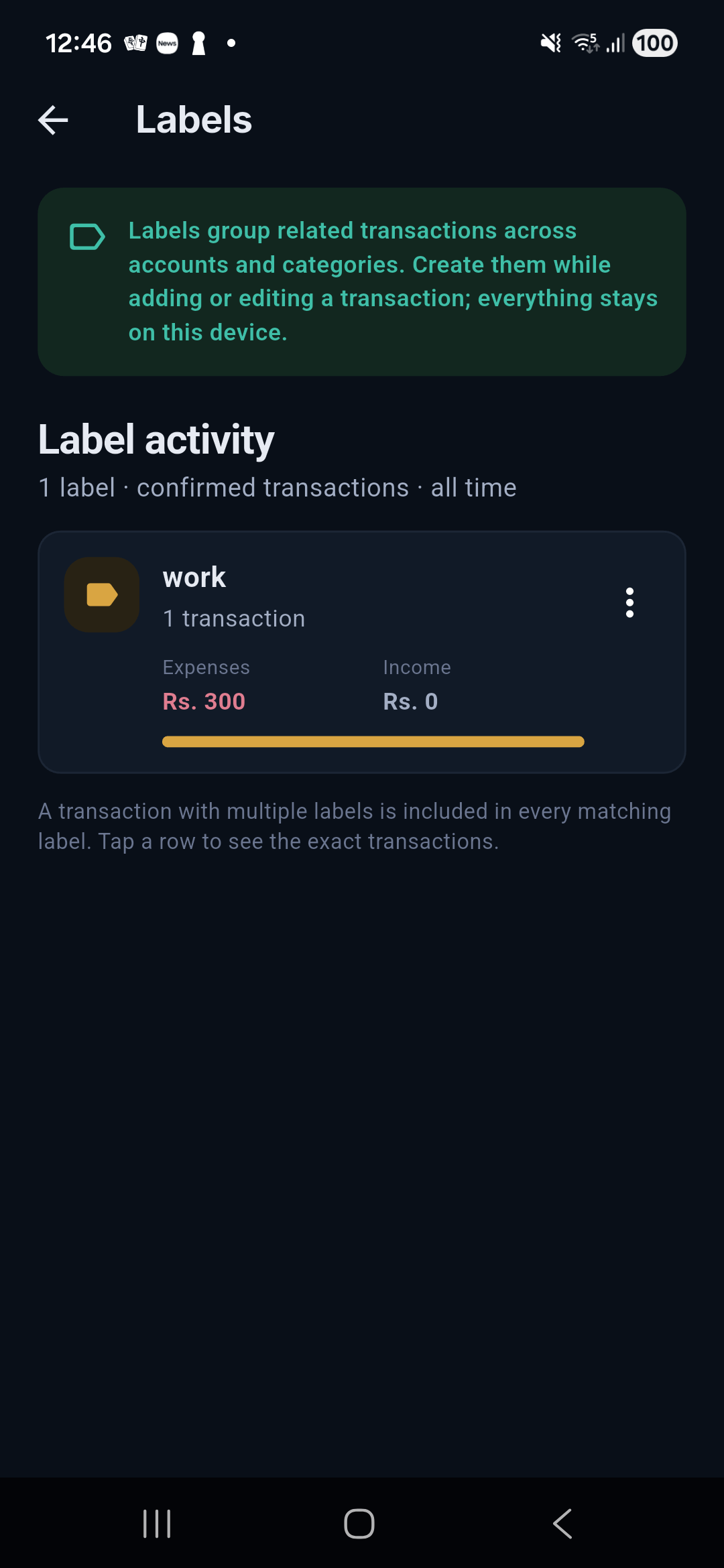
Each label includes every matching transaction across accounts and categories. A transaction with multiple labels appears in every applicable label view, so label totals should not be added together as if they were mutually exclusive.
Merchant catalog
Salli keeps canonical merchant names from:
- confirmed local transaction history;
- user-created merchant rules; and
- the bundled Sri Lankan merchant corpus.
Autocomplete helps prevent spelling variants from fragmenting reports.
Merchant learning
When you recategorize an entry and choose Always, Salli records a local merchant-to-category rule. User rules take precedence over bundled guesses and can be inspected or removed in More → Corpus & rules.
Ignore rules
If a supported alert is not a transaction you want, Always ignore similar creates a separate local ignore rule. Ignore rules do not delete earlier confirmed transactions.
Privacy
The merchant catalog and rules stay on the device. A feedback package is exported only when you explicitly create and share it; the package excludes raw SMS, transaction values, balances, account data, and ledger history.