Categories
Use built-in and custom categories consistently across entry, budgets, and reports.
Categories drive budgets, Safe to Spend disclosures, visual reports, merchant learning, and transaction search.
Built-in categories
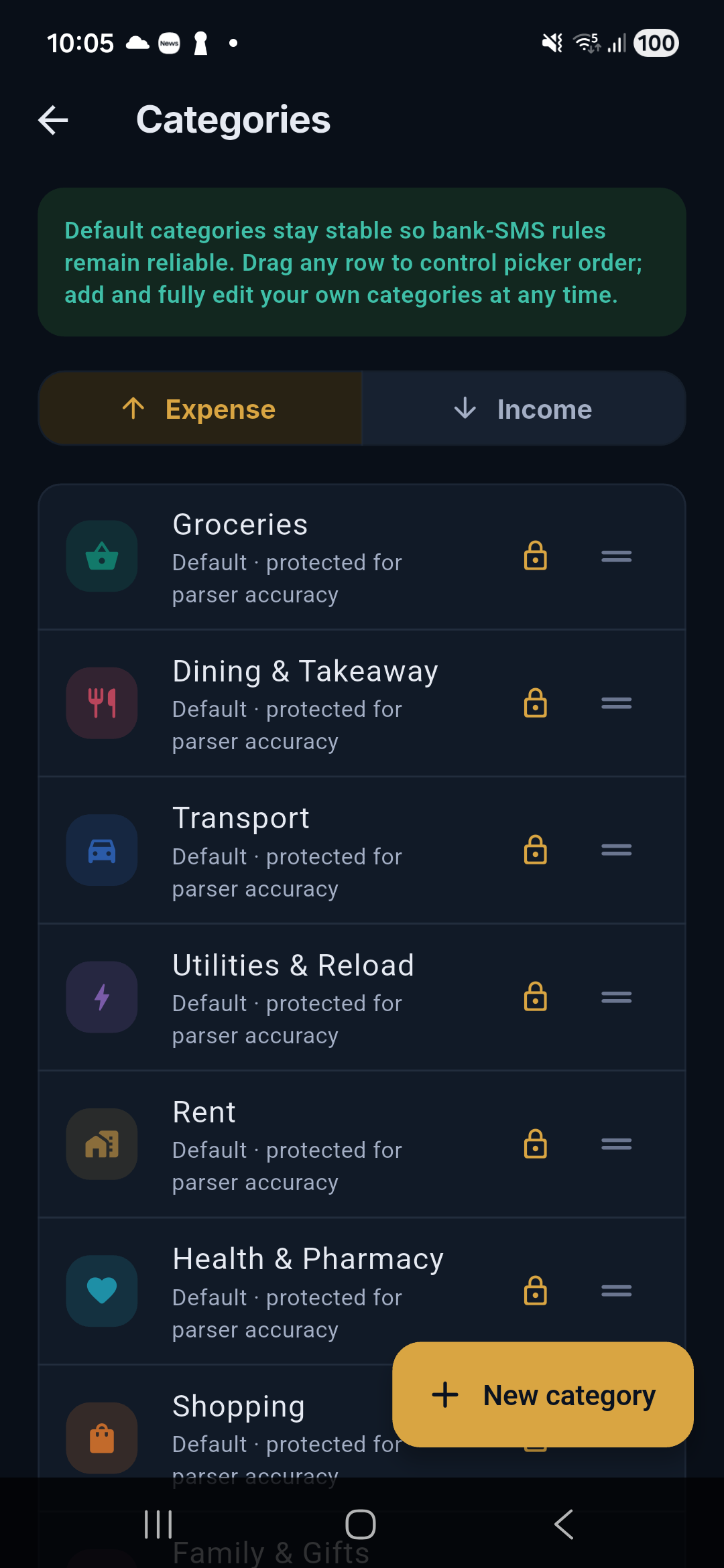
Salli ships separate expense and income categories including Groceries, Dining & Takeaway, Transport, Utilities & Reload, Rent, Health & Pharmacy, Shopping, Family & Gifts, Seettu, Loan / EMI, Salary, Remittance, and Other.
Create a custom category
Open Categories
Go to More → Categories.
Choose direction
Expense and income categories are separate so an income rule cannot silently classify spending.
Choose a name, icon, and color
Search the icon list and select a chart color with sufficient contrast.
Save and position it
Drag categories into the order you want. The new order appears immediately in pickers and key views.
Edit or delete
You can edit custom names, icons, colors, and order. Salli blocks deletion when it would orphan transaction history, budget lines, scheduled-payment settings, or learned rules. Reassign the dependent records first.
Categorization order
For a confirmed merchant description, Salli checks:
- your learned merchant rule;
- your local corpus override;
- an exact bundled alias;
- a whole-phrase bundled match;
- a conservative fuzzy match; and
- manual review when confidence is insufficient.
Built-in OTP, promotion, declined, and sender safety filters run before this order.